As an Amazon affiliate, I earn from qualifying purchases.
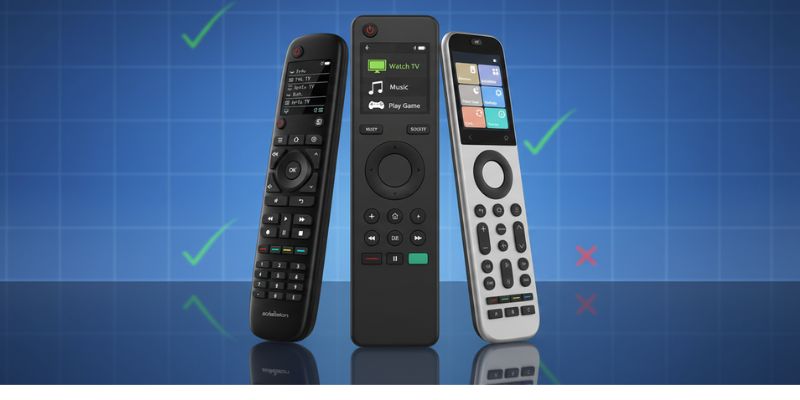
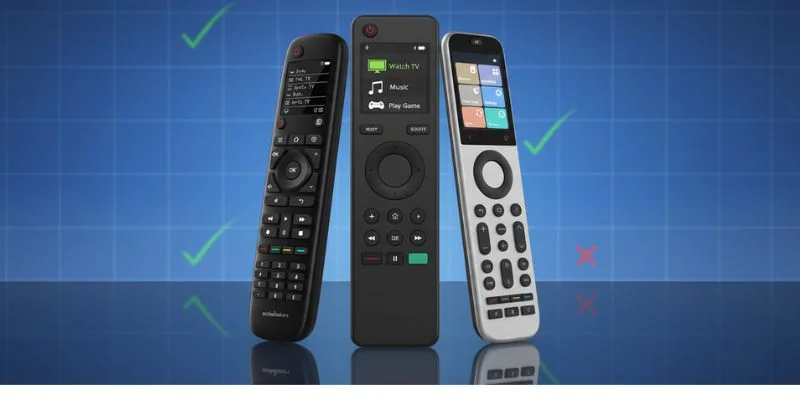
If you’re looking for a SofaBaton comparison chart, this universal remote control update breaks down every current SofaBaton remote side by side-so you can quickly see which model is best for your setup.
Every SofaBaton Remote Compared
 Between this smart home blog and universalremotereviews.com, I’ve tested and written about SofaBaton remotes more than almost anyone else publishing today. One of my most-read posts over at universalremotereviews.com was a Harmony comparison chart breaking down the Harmony Elite against competing universal remotes.
Industry demand for universal remotes continues to grow, according to Verified Market Reports.
Now that SofaBaton has finally released the X2, the lineup has matured in a meaningful way. With the legacy SofaBaton X1 and U1 remotes now discontinued, there are five active SofaBaton remotes that still matter. They are:
- SofaBaton X2
- SofaBaton X1S
- SofaBaton X1
- SofaBaton U2
- SofaBaton U2 Backlit
The differences between them are often subtle, but important. That’s why it was time to build an updated SofaBaton comparison chart that clearly shows what each remote does well, where the limitations are, and which one makes sense depending on your budget and setup.
SofaBaton Comparison Table


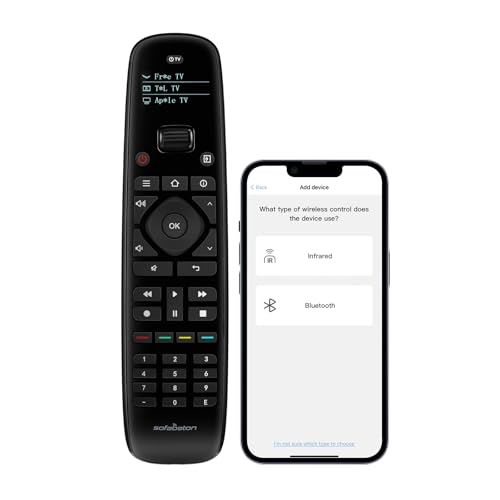
Last update on 10/08/2026 / Affiliate links / Images from Amazon Product Advertising API
SofaBaton X2 – The True Harmony Replacement

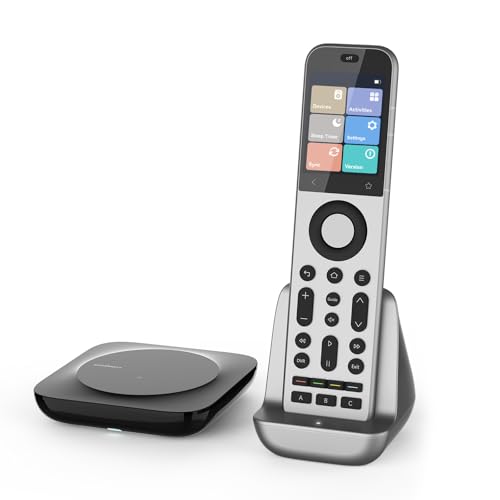
The sofabaton comparison chart places the X2 at the top because it’s the closest real Harmony Elite successor currently available and a big improvement over older SofaBaton models.
Key Specifications
- Control methods: IR, RF, Wi-Fi, Bluetooth
- Screen: Color touch screen (OLED-style clarity)
- Power: Rechargeable battery with charging dock
- Hub: Included, with IR blasters
- Smart home: Broad smart home systems support
Designed for advanced home theaters, the X2 handles complex AV receiver chains, HDMI extenders, and a wide range of devices like Apple TV, Fire TV, Blu-ray players, and modern Samsung TV or Vizio TV setups. The new activity system improves source configuration and reliably selects the correct input.
In daily use, physical buttons pair well with the touch screen, while the scroll wheel, back button, and refined button layout reduce friction compared to old Harmony workflows. Battery life remains strong even with frequent voice commands and assistant integration.
Video Review
Here is the SofaBaton X2 hardware walkthrough from my TecTimmy channel.
Where to Buy
The X2 is Sofabaton's new flagship remote with a touchscreen, charging dock, and improved smart home control.
SofaBaton X1S – Familiar Harmony-Style Control

In the sofabaton comparison chart, the X1S appeals most to users transitioning from an old Harmony remote who still want hub-based control without the X2 price.
Key Specifications
- Control methods: IR, Wi-Fi, Bluetooth
- Screen: Color LCD (non-touch)
- Power: Rechargeable via USB-C
- Hub: Included
- Smart home: Limited (Philips Hue integration, select IP devices)
The X1S works well with Apple TV, Fire TV, DVD players, and Bluetooth devices such as a wireless speaker. IR signal reliability is solid, and the SofaBaton app simplifies the setup process compared to earlier generations.
Assistant integration supports Google Assistant and Alexa for basic voice control, though smart home controls are more limited than the X2. For many users, the main reason to choose the X1S is familiarity-it feels closer to a Harmony Hub replacement.
Video Review
I’ve covered the X1S in depth here and out on my YouTube channel and plan a lot more content on the X2. Here’s my unboxing of the X1 model.
Where to Buy
SofaBaton is offering my readers $10 off the X1S remote. Click below and check the box on the Amazon product page to claim it.
SofaBaton X1 – Proven Mid-Range Hub Remote

The sofabaton comparison chart still includes the X1 because it remains a capable mid-range option for simpler home entertainment setups.
Key Specifications
- Control methods: IR, Wi-Fi, Bluetooth
- Screen: Color LCD (non-touch)
- Power: Rechargeable via USB-C
- Hub: Included
- Smart home: Limited smart home controls
The X1 supports a wide range of devices, including Blu-ray players, older TVs, and Bluetooth mode accessories. Its IR codes database covers most required devices, and IR blasters help manage cabinets and closed racks.
Where it trails newer models is polish. The mobile app and code base feel older, and creating a new activity can take longer. Still, for users who want a dependable harmony replacement without paying for flagship features, the X1 holds up.
Video Review
🎥 Video Credit: TwoGuyzTech
Where to Buy
SofaBaton U2 Backlit – Budget Remote with Better Visibility

The sofabaton comparison chart separates the U2 Backlit for one practical reason: usability in dark rooms.
Key Specifications
- Control methods: IR, Bluetooth
- Screen: None
- Power: AA batteries
- Hub: Not included
- Smart home: None
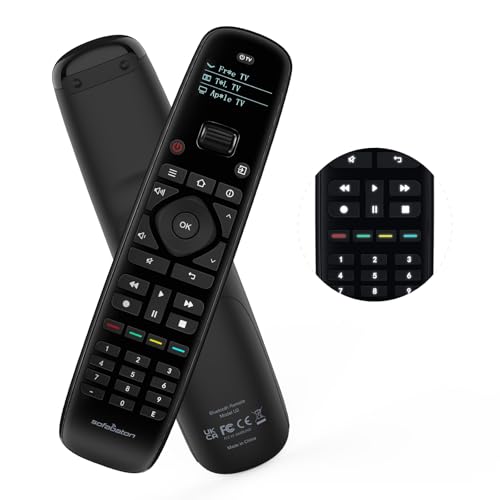
Functionally identical to the standard U2, this model adds backlit physical buttons that make a noticeable difference in home theaters. Button layout remains intuitive, and IR codes cover a wide range of devices.
If you’re choosing between the two and spot a discount coupon for a limited time, the U2 Backlit is often the smarter buy.
Video Review
🎥 Video Credit: hollywoodfrodo
Where to Buy
SofaBaton U2 – Budget Universal with Physical Buttons

In the sofabaton comparison chart, the U2 is clearly positioned as a budget universal remote control for basic rooms and secondary TVs.
Key Specifications
- Control methods: IR, Bluetooth
- Screen: None
- Power: AA batteries
- Hub: Not included
- Smart home: None
The U2 focuses on physical buttons, a straightforward pause button layout, and reliable IR signal output. It works well with TVs, DVD players, and basic AV receiver setups but excludes smart home controls and voice control.
Its biggest advantage is simplicity. There’s no Wi-Fi network, no hub, and no complex setup process-making it ideal for quick daily use.
Video Review
🎥 Video Credit: GoTechGeek
Where to Buy
Verdict: Which SofaBaton Remote Is Worth Buying?
Based on hands-on use across different devices and real-world home entertainment setups, this sofabaton comparison chart makes the buying decision fairly clear.

✅ Recommended
- SofaBaton X2 (Top Pick)
The main reason to buy the SofaBaton X line today. Its unfolded circle navigation, OLED-style touch screen, strong s hub performance, and reliable right input switching make it the best choice for complex setups with an AV receiver, Blu-ray player, and Philips Hue lights. If you care about key features, correct power setting behavior, and daily use polish, this is the clear winner.
- SofaBaton X1S (Best Value Hub Remote)
A solid choice if you want hub-based control without flagship pricing. It handles different devices well, supports assistant integration, and works reliably with most TVs released last year. It’s not built for full smart home expansion, but for a focused home entertainment setup, it still makes sense.
- SofaBaton U2 Backlit (Best Budget Pick)
If you just need dependable physical buttons and visibility in dark rooms, this SofaBaton U variant delivers. It won’t control electric scooters or advanced smart home systems, but for basic TVs and disc players, it’s simple, effective, and affordable.
❌ Don’t Bother (For Most People)
- SofaBaton X1 (Unless You Find a Steep Discount)
While still functional, its model number now feels dated. The lack of OLED displays, slower setup process, and less refined button layout mean newer options offer better value unless you find a deep discount.
- SofaBaton U2 (Standard, Non-Backlit)
With no full keyboard, no hub, and no lighting, it’s harder to justify when the Backlit version exists. For most users, paying slightly more for better visibility and usability is the smarter move.
For deeper breakdowns of compatible devices and edge cases, your devices article will still matter-but for most buyers, these recommendations cover the right button presses that count.
📚 Read Next: Sofabaton X1S vs X2

Love tech? Subscribe for iPhone tips, fun tech tips, unboxings, and reviews.
Subscribe Now