As an Amazon affiliate, I earn from qualifying purchases.
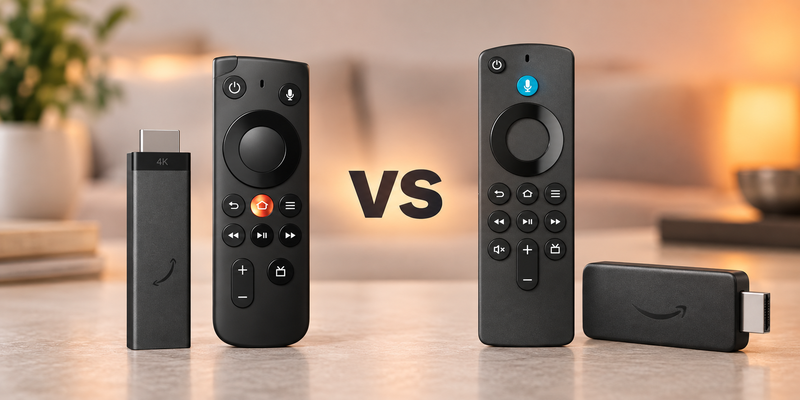
I compare Fire TV Stick 4K 3rd Gen vs 2nd Gen to help you decide whether new software, power and controls justify an upgrade.
A New Stick, Different Tradeoffs
 I‘ve owned and tested many Fire TV Stick generations and currently use a Cube. For Fire TV Stick 4K 3rd Gen vs 2nd Gen, I’ve checked specifications to weigh the new model’s changes.
The new stick adds Vega OS, USB-C, and a redesigned remote. The previous generation retains more memory and Dolby Vision support, so I would start with the apps and equipment you already use.
According to Pew Research Center, 83% of US adults used streaming services in its 2025 survey. I want a stick that handles my favorite apps comfortably, without paying for changes I will not use.
Key Takeaways
- The third generation adds Direct Power, USB-C, Vega OS, and a redesigned remote, but keeps Wi-Fi 6 and 8 GB storage.
- The previous generation retains Dolby Vision, 2 GB memory, and its Android-based Fire OS platform; newer does not mean better in every category.
- Check essential apps before upgrading, and consider the separately available redesigned remote if controls are your main complaint.
Comparison Table: Fire TV Stick 4K 3rd Gen vs 2nd Gen
The following table compares Fire TV Stick 4K 3rd Gen vs 2nd Gen by the features that matter before upgrading.
| Feature | Simpler Setup | Dolby Vision Keeper |
|---|---|---|
| Product | Fire TV Stick 4K (3rd Gen) | Fire TV Stick 4K (2nd Gen) |
| Product Image |

|

|
| Best Fit | Best fit: Choose the third generation for simpler television power and the redesigned tactile remote. | Best fit: Choose the second generation when Dolby Vision and familiar app compatibility matter most. |
| Dolby Vision | ||
| Operating System | Vega OS 2.0 | Fire OS 8 |
| TV USB Direct Power | ||
| Memory | 1 GB | 2 GB |
| Storage | 8 GB | 8 GB |
| Wireless | Wi-Fi 6; Bluetooth 5.3 | Wi-Fi 6; Bluetooth 5.2 |
| Power | USB-C Direct Power | Micro USB |
| Remote | New tactile Fire TV Remote | Alexa Voice Remote |
| Where to buy |
#1 – Fire TV Stick 4K 3rd Gen: Simpler Setup
Best Fit
Choose the third generation for simpler television power and the redesigned tactile remote.
Fire TV Stick 4K (3rd Gen) makes its strongest case through everyday convenience: a slimmer body, USB-C power, and an included remote designed to navigate by touch. Direct Power lets it draw power from a television’s USB port, which could simplify a second television or travel setup.
The bigger decision is Vega OS, because existing Android app packages do not carry over to this platform. In Fire TV Stick 4K 3rd Gen vs 2nd Gen, I would also weigh its 1 GB memory and absence of Dolby Vision against the older stick’s capabilities before treating it as an automatic upgrade.
Pros
- Direct Power simplifies connections behind a television
- Redesigned tactile remote includes a customizable star button
- USB-C replaces the older micro USB connection
- Wi-Fi 6 supports compatible modern home networks
- HDR10+ remains available for compatible televisions and content
Cons
- Amazon's supported HDR list excludes Dolby Vision
- One gigabyte of memory replaces the previous two
- Existing Android app packages require compatible Vega alternatives
USB-C Direct Power and redesigned tactile remote.
#2 – Fire TV Stick 4K 2nd Gen: Dolby Vision Keeper
Best Fit
Choose the second generation when Dolby Vision and familiar app compatibility matter most.
Fire TV Stick 4K (2nd Gen) remains a sensible keeper if your apps run reliably and your television benefits from Dolby Vision. Its Fire OS 8 platform, 2 GB memory, and 8 GB storage explain why the older hardware still deserves a careful look.
Wi-Fi 6 and a quad-core processor running up to 1.7 GHz already cover the same headline wireless and clock-speed categories as the replacement. I would keep a dependable second-generation stick rather than trade its supported formats for a tidier cable, especially when the new remote can be bought separately.
Pros
- Dolby Vision supports compatible televisions and streaming content
- Two gigabytes of memory exceed the newer specification
- Fire OS preserves familiar Android-based app compatibility
- Wi-Fi 6 remains useful on compatible networks
- Compatible devices can use the redesigned separate remote
Cons
- Micro USB lacks the newer USB-C connection
- Included older remote lacks the new tactile redesign
- Eight gigabytes provide no storage advantage over replacement
Dolby Vision and familiar Fire OS app compatibility.
How to Choose Your Fire TV Generation
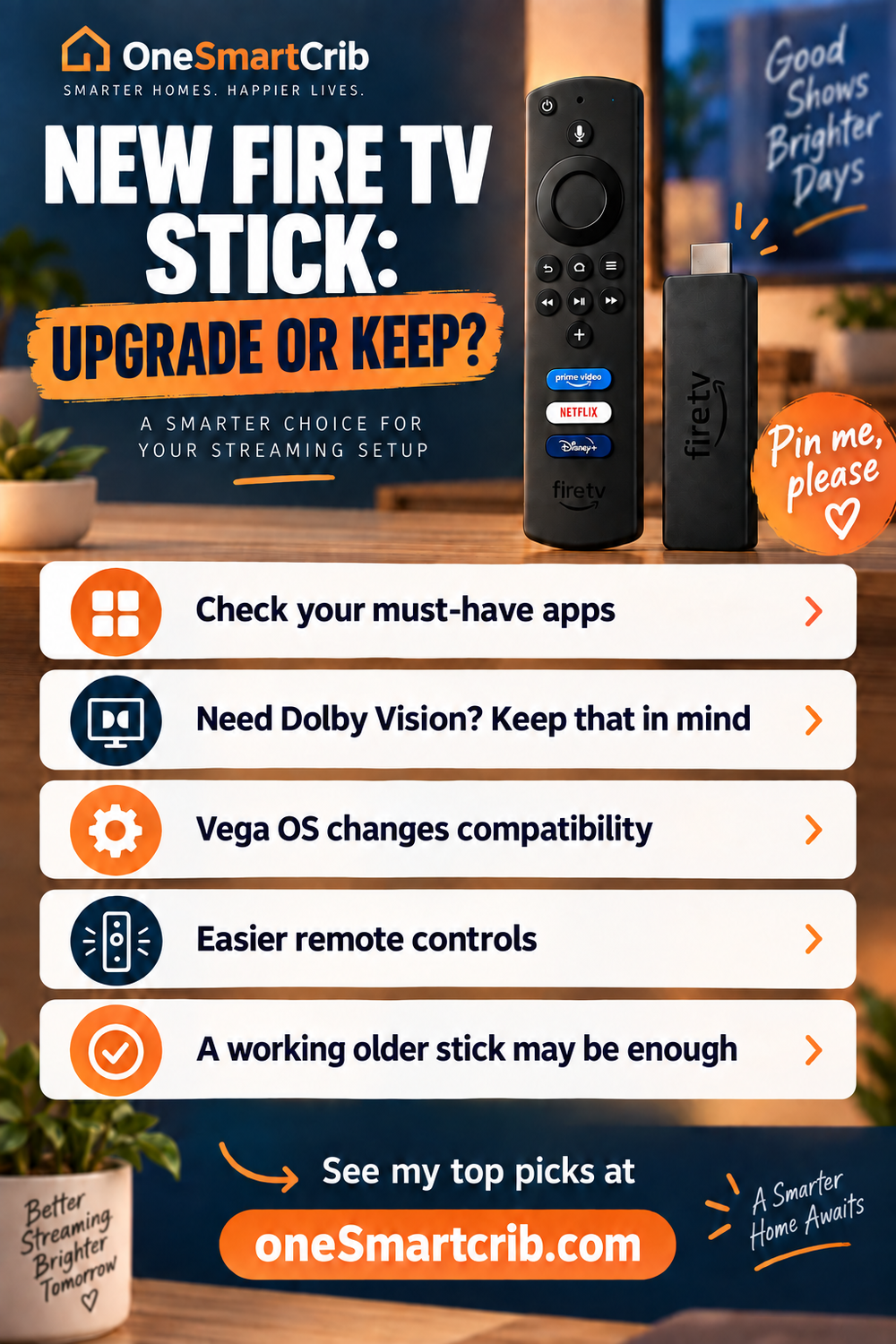
For Fire TV Stick 4K 3rd Gen vs 2nd Gen, start with the apps, television and controls you use every day. Here is my short upgrade checklist.
What I Look For When I Buy
These are the practical differences I would check in Fire TV Stick 4K 3rd Gen vs 2nd Gen.
- ✓Apps first. Check every essential service on Vega OS before replacing a working Fire OS stick. Android app files do not transfer.
- ✓Match your television. Keep the second generation if Dolby Vision matters. The new stick supports HDR10+, but not Dolby Vision.
- ✓Separate the remote decision. The redesigned remote is sold separately for compatible streamers. Better buttons alone may not justify replacing the stick.
- ✓Check the power connection. Direct Power simplifies setup through television USB. Measure the included cable reach and HDMI clearance before buying.
- ✓Skip unsupported speed claims. The launch benchmarks compare other devices, not this predecessor. Choose verified features rather than assuming newer means faster.
Before Retiring Your Current Stick
- ✕Keep a reliable stick if its apps and picture formats already suit you.
- ✕Consider only the remote if button handling is your main complaint.
FAQs
These questions address the changes most likely to affect an upgrade.
1. What changes in Fire TV Stick 4K 3rd Gen vs 2nd Gen?
The newer stick changes the software platform, power connection, and included remote while reducing memory from two gigabytes to one. Both support Wi-Fi 6 and 4K output. The previous generation additionally supports Dolby Vision. Choose by the capabilities you need, because a newer generation does not automatically improve every part of your streaming setup.
2. Which generation should I choose for Dolby Vision?
In Fire TV Stick 4K 3rd Gen vs 2nd Gen, the older model is the safer choice when Dolby Vision matters. Amazon lists HDR10, HDR10+, and HLG for the newer stick. Its documented Dolby audio support is HDMI pass-through, so compatible audio equipment, the app, and the content still determine the experience you hear.
3. Will my existing apps transfer in Fire TV Stick 4K 3rd Gen vs 2nd Gen?
No. Existing Android app files are not interchangeable with Vega packages. Major streaming services are available, but a familiar Fire TV interface does not guarantee every specialist app exists for the new platform. Check the exact device under an app listing's compatibility information before replacing a working stick, particularly for local media, VPNs, or utilities.
4. Can I upgrade the remote without replacing my stick?
For Fire TV Stick 4K 3rd Gen vs 2nd Gen, the redesigned remote adds tactile controls and a customizable star button. Amazon says it also works with Fire TV streaming players launched since 2019. That makes a separate remote purchase worth considering. Remote finding and backlighting belong to the later Remote Plus, not this model.
5. Should I upgrade after comparing Fire TV Stick 4K 3rd Gen vs 2nd Gen?
Keep it if your streaming apps work well and its supported formats match your television. The new remote can be purchased separately for compatible devices. Upgrade when Direct Power, the slimmer hardware, or specific new-platform features solve a problem. I would verify every essential app before retiring a stick that still does its job.
Fire TV Stick 4K 3rd Gen vs 2nd Gen: Verdict
 Fire TV Stick 4K 3rd Gen vs 2nd Gen comes down to simpler setup vs keeping the apps and picture formats you already enjoy.
- Upgrade: Choose Fire TV Stick 4K 3rd Gen if you want Direct Power and confirmed Vega app support.
- Keep: Choose Fire TV Stick 4K 2nd Gen if your apps work well and Dolby Vision matters.
- Remote-only upgrade: Choose the separate Fire TV Remote if better buttons are the only upgrade you need.
I would keep a dependable stick unless the new power connection or software solves a specific problem. If you prefer hands-free control like I do, my Fire TV Cube generation comparison explains that alternative.

Love tech? Subscribe for iPhone tips, fun tech tips, unboxings, and reviews.
Subscribe Now