As an Amazon affiliate, I earn from qualifying purchases.
The best digital calendars keep shared schedules visible, but screen size, sync support, subscriptions, and placement determine which one works at home.
How I Picked the Best Digital Calendars
 At home I actually live with the Cozyla Calendar+ 2 and the Echo Show 15. I also own Aura and Skylight photo frames, and that hands-on time gives me a solid baseline for judging screen visibility, app controls, and shared scheduling.
The Cozyla is the one dedicated calendar on this list that I bought for my own wall. Having the Echo Show alongside it makes it easy to tell a genuine family organizer apart from a general smart display that just happens to run a calendar widget.
For the picks I haven’t lived with, I went through the current manuals, compatibility notes, subscriptions, mounting, and app documentation. WIRED’s digital wall calendar guide helped me pressure-test the models I haven’t used myself.
Key Takeaways
- Start with placement: Choose a screen that stays readable where your family already gathers.
- Verify calendar sync: Confirm every household account before comparing chores, meals, or smart-home extras.
- Count the full cost: Separate included calendar tools from features that require a subscription.
Best Digital Calendars Comparison Table
Compare my top five best digital calendars by screen, sync, fees, placement, and family tools.
| Editor's Choice | Best for Most Families | Best for Kids and Routines | Best Android Calendar | Best Large Polished Display | |
|---|---|---|---|---|---|
| Product Image |

|

|

|

|

|
| Model | Cozyla Calendar+ 2 | Skylight Calendar 2 | Hearth Display | ApoloSign 27-inch 4K | Skylight Calendar Max |
| Rank | 1 | 2 | 3 | 4 | 5 |
| Best Fit | Best fitChoose the Cozyla for a large, flexible family command center. | Best fitPick the Skylight Calendar 2 for the easiest shared setup. | Best fitSelect Hearth for child-friendly routines, rewards, and visual schedules. | Best fitChoose the ApoloSign 27-inch for 4K Android dashboard flexibility. | Best fitPick the Calendar Max for a polished 27-inch family wall. |
| Open Android Apps | |||||
| Screen | 32-inch FHD or 4K | 15-inch Full HD | 27-inch portrait display | 27-inch 4K anti-glare | 27-inch 2560×1440 |
| Countertop Option | |||||
| Calendar Sync | Google, Apple, Outlook, Yahoo | Google, Apple, Outlook, Cozi | Google, iCal, Outlook | Google, Apple, Outlook, Cozi | Google, Apple, Outlook, Cozi |
| Fees | Core CalendarOS tools included | Core free; Plus optional | Core free; membership extras | Core tools free; AI optional | Core free; Plus optional |
| Placement | Wall; optional stand paths | Wall or countertop | Portrait wall mount | Landscape wall mount | Portrait or landscape wall |
| Family Tools | Tasks, meals, rewards, apps | Events, lists, chores, rewards | Routines, rewards, feelings, meals | Chores, meals, message board | Events, chores, lists, weather |
| Check Price | Check Price | Check Price | Check Price | Check Price | Check Price |
Cozyla Calendar+ 2
Skylight Calendar 2
Hearth Display
ApoloSign 27-inch 4K
Skylight Calendar Max
#1 – Cozyla Calendar+ 2: Editor's Choice
Best Fit
Choose the Cozyla for a large, flexible family command center.
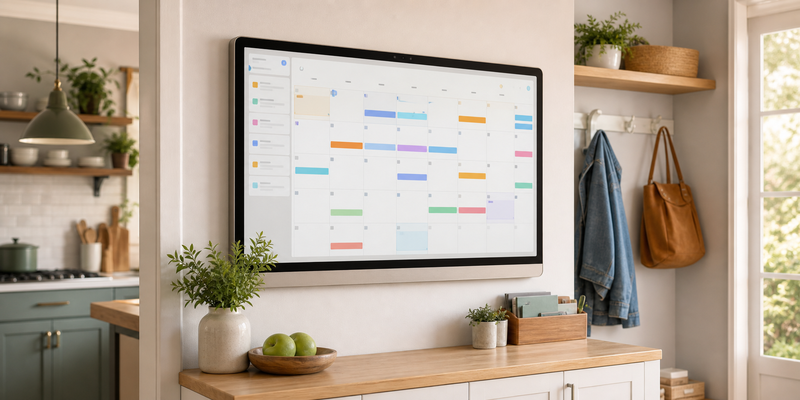
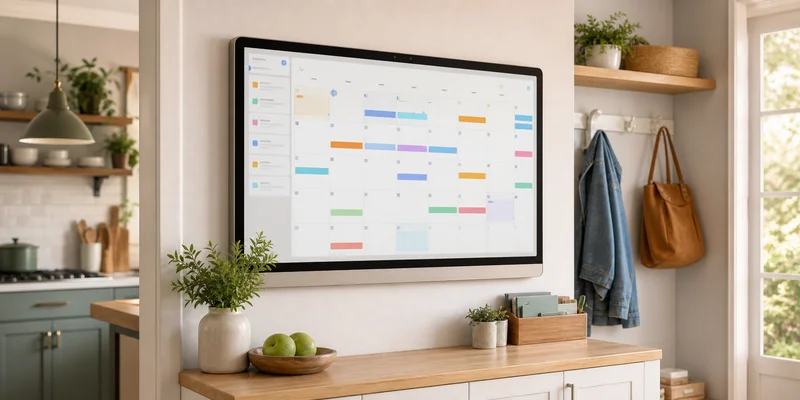
Cozyla Calendar+ 2 is the model I bought after my Echo Show and photo frames kept feeling like compromises. Its 32-inch wall display puts family members, color coding, to-do lists, meal plans, and daily tasks on a home page everyone can scan, placing it among the best digital calendars for a true command center.
Cozyla is the most flexible smart family planner here because CalendarOS supports a Google account, an Outlook calendar, grocery lists, sleep mode, social media apps, and live updates in real time. The trade-off is its size and busier user experience.
Pros
- Large enough to anchor a true household command center.
- CalendarOS combines schedules, tasks, meals, rewards, and photos.
- Google Play support expands beyond built-in calendar tools.
- Included rotating mount supports portrait or landscape viewing.
- My hands-on pick for keeping shared plans visible.
Cons
- The 32-inch body needs a committed wall location.
- Its open dashboard feels busier than Skylight's interface.
- Optional premium services may change the long-term value.
#2 – Skylight Calendar 2: Best for Most Families
Best Fit
Pick the Skylight Calendar 2 for the easiest shared setup.
Skylight Calendar 2 takes a narrower but more polished approach than an open Android tablet. Among the best digital calendars, its brighter 15-inch screen and free mobile app are easy for the whole family to learn, and the clean shared calendar works on a counter or wall.
It is the strongest mainstream choice for ease of use. Core calendar services are included, while premium plans add Magic Import, meal planning, favorite recipes, and a photo screensaver, so subscription fees belong in the buying decision.
Pros
- Clean interface is easy for family members to scan.
- Counter and wall hardware create flexible placement options.
- Syncs the major personal calendar services automatically.
- Free Skylight app supports changes away from home.
- Current Calendar 2 hardware improves brightness and frame choices.
Cons
- Meal planning and Magic Import require Calendar Plus.
- Closed software offers fewer customization options than Android models.
- Fifteen inches may feel small across a large room.
#3 – Hearth Display: Best for Kids and Routines
Best Fit
Select Hearth for child-friendly routines, rewards, and visual schedules.
Hearth Display is the most deliberate digital family calendar for children who respond to visual daily routines. Its tall 27-inch touch screen brings profiles, shared family calendars, tasks, rewards, meal planning, and feelings check-ins into one calm view for busy parents.
It earns a place among the best digital calendars when routines matter more than customization options. Basic calendar visibility works without an ongoing plan after setup, but advanced features, to-dos, the companion app, and the meal planner require Family Membership, an important long-term cost.
Pros
- Kid-centered routines make daily expectations easy to see.
- Profiles and rewards support different ages and learning styles.
- Core calendar visibility remains after membership cancellation.
- Portrait design keeps children's controls within easy reach.
- Companion app supports schedule changes away from home.
Cons
- Membership is required during initial setup.
- Premium routines and meal tools add recurring cost.
- Portrait-only wall placement is less flexible than Skylight Max.
#4 – ApoloSign 27-inch 4K: Best Android Calendar
Best Fit
Choose the ApoloSign 27-inch for 4K Android dashboard flexibility.
ApoloSign 27-inch 4K combines a focused smart digital calendar with an Android dashboard. Calendar Mode handles family schedules, school events, upcoming events, chores, and meals, making it one of the best digital calendars for a multi-use wall; Android Mode adds widgets, Google Assistant, and control for compatible smart home devices.
This is the sharpest smart touchscreen interactive display here, and the best part is its two-mode design. It can replace several pieces of dedicated hardware, but the 27-inch piece of hardware needs a large wall and a reliable internet connection.
Pros
- 4K anti-glare panel stays readable across a shared room.
- Dual modes balance focused scheduling with Android flexibility.
- Google Play support expands smart-home and productivity options.
- Core calendar, chore, reward, and photo tools require no plan.
- Google Assistant supports voice queries and dashboard control.
Cons
- Large landscape panel requires a permanent wall location.
- Android freedom creates more setup choices than closed calendars.
- AI features may require an optional subscription.
#5 – Skylight Calendar Max: Best Large Polished Display
Best Fit
Pick the Calendar Max for a polished 27-inch family wall.
Skylight Calendar Max scales the familiar Skylight Calendar interface to a 27-inch digital calendar display. It is one of the easiest digital wall calendars to read across a kitchen, with portrait or landscape mounting and an anti-glare 2560×1440 smart screen.
It belongs among the best digital calendars for larger family spaces because the Skylight app keeps one shared calendar current without much time spent managing the display. The main difference from Calendar 2 is size: Max looks polished, but it is wall-only and costs more.
Pros
- Large high-resolution panel is readable from across a room.
- Portrait or landscape mounting fits different wall layouts.
- Mature Skylight software keeps shared schedules straightforward.
- Core lists, chores, weather, and sleep mode are included.
- Frame choices look more finished than generic Android panels.
Cons
- Wall-only installation needs a planned power path.
- Calendar Plus is required for several standout features.
- Closed software cannot install third-party Android apps.
#6 – Everblog HomeCal 21.5-inch: Best Without a Subscription
Best Fit
Select HomeCal for subscription-free chores, meals, and fridge tracking.

Everblog HomeCal 21.5-inch turns the family planner into a broader home dashboard with a fridge manager, chores, rewards, meals, custom lists, and weather. The 1080p panel, 64GB storage, and optional stand give it more placement freedom than most wall-only models, putting it among the best digital calendars for flexible setup.
It is the strongest no-fee hub for everyday life, but it is still a newer platform. WIRED noted occasional slow or missing sync updates, so households that need work meetings reflected in real time should weigh software maturity against the feature list.
Pros
- No subscription is required for its main family tools.
- Fridge manager adds a useful food-waste planning angle.
- Optional stand supports counters as well as wall placement.
- Sixty-four gigabytes leaves room for apps and family media.
- Broad calendar support includes TeamSnap and Cozi.
Cons
- Newer software has less long-term history than Skylight.
- WIRED observed occasional slow or missing sync updates.
- The broad feature set may feel busy for calendar-only households.
#7 – ApoloSign 21.5-inch: Best Mid-Size Android Value
Best Fit
Choose the 21.5-inch ApoloSign for mid-size Android wall value.

ApoloSign 21.5-inch keeps the brand’s dual Calendar and Android modes while shrinking the wall commitment. Its 1080p anti-glare panel, 64GB storage, Google Play access, Google Home controls, and mobile app make it a practical middle ground for a work calendar and home widgets.
It remains one of the best digital calendars when an Android tablet experience matters more than 4K resolution. The free plan covers essential features such as chores, rewards, lists, and photos; AI tools are optional new features, and larger models are easier to read from a distance.
Pros
- Mid-size panel balances visibility with a smaller wall footprint.
- Android dashboard installs familiar productivity and smart-home apps.
- Core chores, rewards, lists, and photo tools are free.
- Wi-Fi 6 and 64GB storage support a responsive dashboard.
- Anti-glare glass helps in brighter kitchens and family rooms.
Cons
- Wall mount is the only included placement option.
- It duplicates some strengths of the sharper 27-inch model.
- Optional AI tools can add a subscription.
#8 – Aluratek AWFC10F: Best Compact Calendar
Best Fit
Pick the Aluratek for compact wall, counter, or desk placement.

Aluratek AWFC10F is a compact electronic calendar and digital photo frame rather than a room-dominating command center. Its 10.1-inch IPS screen, removable stand, auto-rotation, light sensor, and eCalendar app suit a kitchen counter, desk, or small wall.
It earns a spot among the best digital calendars for home use because it syncs major services without a fee and still includes a digital calendar chore chart, rewards, tasks, and meal tools. The lower resolution and smaller view make it better for single-room use than across-room planning.
Pros
- Compact frame works on a counter, desk, or wall.
- No subscription is required for calendar and family tools.
- Built-in light sensor adjusts brightness automatically.
- Thirty-two gigabytes supports photos and videos.
- One-year warranty comes from an established electronics brand.
Cons
- Ten-inch screen is hard to read across larger rooms.
- Resolution is lower than the 1080p and 4K picks.
- Interface is less refined than Skylight's software.
#9 – Echo Show 15: Best Alexa Alternative
Best Fit
Select the Echo Show 15 for Alexa widgets and entertainment.

Echo Show 15 is the other ranked product I use, and it remains the broadest smart display here. Alexa widgets put an online calendar, reminders, photos, shopping lists, smart-home controls, and Fire TV on one 15-inch screen without requiring a separate Fire TV Stick.
It sits last among the best digital calendars because it is a smart screen first, not dedicated hardware for routines and chores. The Amazon Echo Show 15 makes sense for Alexa households, while a Google Nest Hub and smaller smart speakers offer less calendar space than a full digital calendar display.
Pros
- My hands-on Alexa alternative for calendars and widgets.
- Built-in Fire TV adds entertainment without another device.
- Alexa controls compatible cameras and smart-home routines.
- Wall mount or optional stand supports two placements.
- Strong photo, reminder, list, and video-call features.
Cons
- Calendar is one widget among many competing functions.
- Lacks the deep chore and reward tools of dedicated calendars.
- Alexa interface can surface promotions and unrelated content.
#10 – DAKboard Touch 22: Best Custom Smart-Home Dashboard
Best Fit
Choose DAKboard for deeper integrations and a customizable family dashboard.

DAKboard Touch 22 gives tinkerers more control than a closed family-calendar appliance. Its 21.5-inch IPS touchscreen, drag-and-drop layouts, calendar editing, and broad integration library make it one of the best digital calendars for a custom smart-home dashboard.
Google, Outlook, iCloud, task apps, photos, weather, and compatible smart-home services can share the same screen. The free tier keeps the display useful, but some premium integrations need a paid plan, and all that flexibility takes more setup than Skylight.
Pros
- Nearly 100 integrations support unusually flexible dashboards.
- Touch controls can edit Google events, complete tasks, and change screens.
- Ethernet provides a wired alternative to dual-band Wi-Fi.
- Included wall plate and VESA 100 support cover common mounting setups.
- The free software tier works without an ongoing plan.
Cons
- Premium integrations require an optional subscription.
- Custom layouts take more setup than a closed family calendar.
- The optional tabletop stand costs extra.
#11 – Mango Display: Best Software-Only Calendar
Best Fit
Select Mango Display to turn an existing screen into a flexible calendar.

Mango Display is software rather than another piece of dedicated hardware. It turns a supported TV, tablet, Echo Show, computer, web browser, or Raspberry Pi into one of the best digital calendars for households that already own a suitable screen.
The drag-and-drop dashboard can combine multiple calendars with tasks, chores, meal plans, photos, and weather. Reusing a screen can lower the upfront cost, but calendar sync and family tools require Pro, and the final experience depends on the hardware you provide.
Pros
- Reuses a wide range of screens instead of requiring new hardware.
- Combines Google, Outlook, Apple, Cozi, and ICS calendars.
- Flexible layouts support landscape and portrait displays.
- Touch, mouse, TV remote, and browser controls cover many setups.
- Remote management updates the display without touching the screen.
Cons
- Calendar sync is not included in the free tier.
- You must supply and configure the display hardware.
- Readability and touch support vary with the screen you choose.
Best Digital Calendars Video Review
How to Choose the Best Digital Calendars
The best digital calendar fits its room, syncs every account, and keeps paid extras within budget.
What I Look For When I Buy
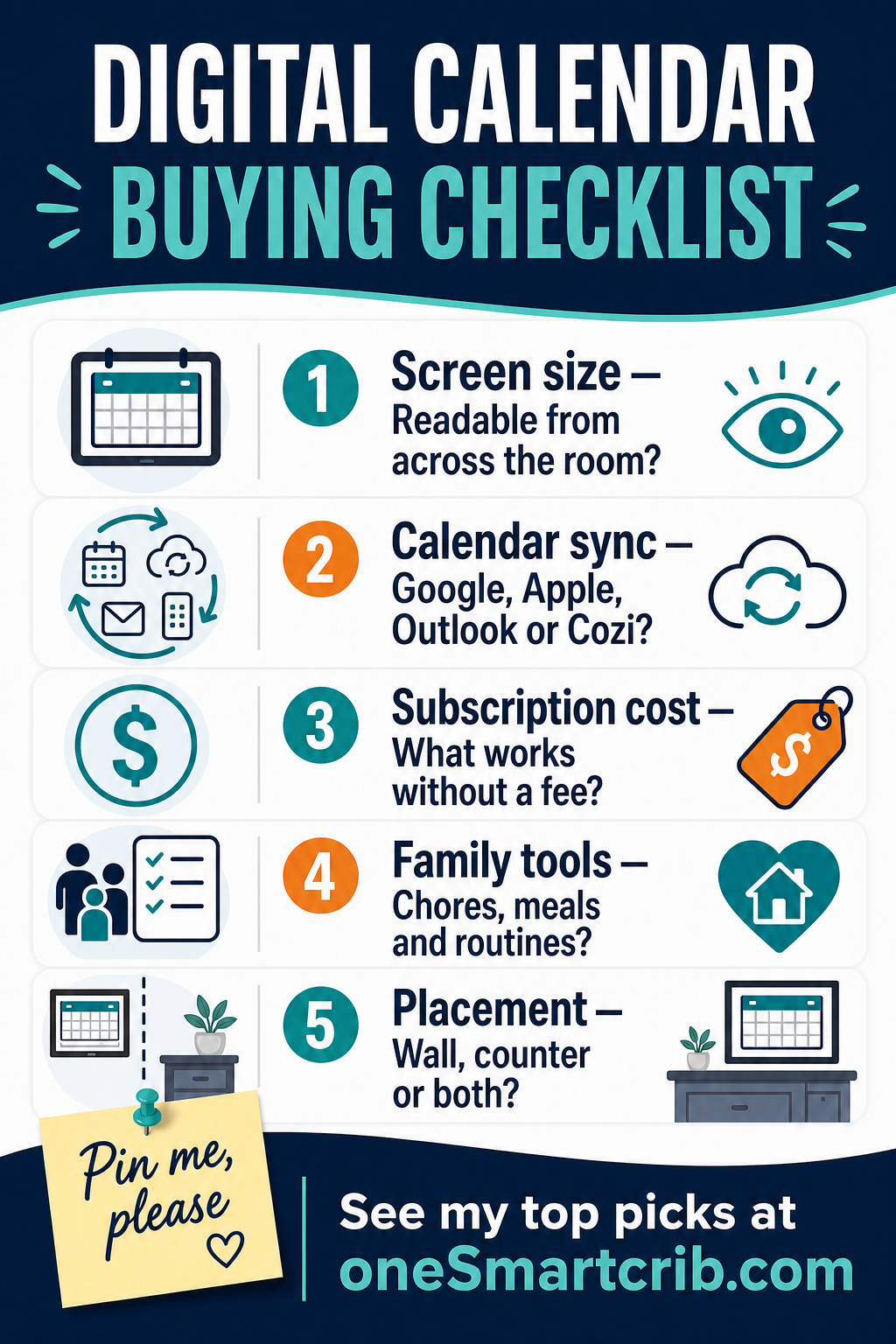
When I compare the best digital calendars, I look at visibility and time management before novelty.
- ✓Match screen size to viewing distance. A 15-inch screen works on a counter, while a 21.5-inch digital calendar or 27-inch wall display is easier to read across a room.
- ✓Verify every account before buying. Check your own calendar, school, work, and business calendar support, including time zones and subscribed feeds.
- ✓Separate included tools from paid extras. Calendar views may be free while meal planning, rewards, AI import, or photo features require a plan.
- ✓Choose family tools people will maintain. Chores, routines, meal plans, and grocery lists simplify family life only when the entire family updates them during everyday use.
- ✓Plan power, mounting, and privacy. Check the outlet, visible cord, wall hardware, counter stand, sleep behavior, and what guests can see.
Other Models Worth Comparing
These alternatives can make sense when the ranked picks do not fit your wall, budget, or preferred software.
Consider it for a no-fee counter calendar with less brand history.
Watch it as a budget option until its software record improves.
FAQs
These answers cover hardware, subscriptions, calendar sync, and DIY alternatives.
1. Do I need dedicated calendar hardware instead of an app?
Dedicated hardware earns its place when the schedule must stay visible without opening a phone. The best calendar apps cost less, and a paper calendar never loses power, but neither creates a shared smart screen with live changes. Choose the piece of hardware only when that visibility matches your specific needs.
2. Do digital family calendars require a subscription?
Not always. Some products include a free version or free plan for calendar views, lists, and basic chores, then reserve meal planning, Magic Import, or rewards for premium plans. Compare subscription fees over several years and confirm which essential features remain if you cancel later.
3. Which calendar services should a family display support?
Start with every account the household already uses, then confirm the device can sync calendars from Google, Apple, Microsoft Outlook, Cozi, school feeds, and a business calendar. iPhone users should check iCloud steps, while travelers should verify time zones, work meetings, school events, and whether they can forward emails.
4. Can I build a digital wall calendar with a TV?
Yes. Mango Display or DAKboard software on a compatible player can turn a smart TV, old monitor, or Raspberry Pi into an online calendar. That path can be cheaper, but it needs a steady internet connection, separate input hardware, and more setup. A purpose-built display is easier for touch, chores, and family profiles.
5. What are the best digital calendars for most homes?
Hectic schedules need different tools, so I split my top picks by use. Cozyla is the large-screen choice I own, Skylight Calendar 2 is the easiest mainstream option, and Hearth is strongest for children's routines. Smaller homes should consider Aluratek, while Alexa households may prefer Echo Show 15.
The Verdict on the Best Digital Calendars
 The best digital calendars succeed when the display stays visible, every account syncs, and the family tools are simple enough to keep using. Cozyla is my flexible hands-on winner, Skylight Calendar 2 is the easiest mainstream choice, and Hearth gives children the strongest routine support.
- Choose Cozyla Calendar+ 2 if you want my hands-on large, flexible family hub.
- Choose Skylight Calendar 2 if you want the simplest polished setup for most families.
- Choose Hearth Display if you want child-centered routines, rewards, and visual schedules.

Love tech? Subscribe for iPhone tips, fun tech tips, unboxings, and reviews.
Subscribe Now