As an Amazon affiliate, I earn from qualifying purchases.
In this Sensibo Sky vs Ceilo vs Tado showdown, the Sensibo Sky is the best smart AC controller for most people.

Chill Time
Ah yes — the Dog Days of summer. I don’t have central air, so a smart thermostat is out, which left this sweaty, frugal guy hunting for another way to tame the AC and shrink that ugly electric bill.Turns out there’s an app for that — three really good ones that control window, portable, and mini-split units: the Sensibo Sky, the Cielo Breez Max, and tado°. Cooling can eat a big slice of a summer power bill, according to the U.S. Department of Energy, so the right controller can pay for itself in a couple of seasons.
So which is best? After a ton of research — and ordering the Sensibo Sky myself — here’s how the Sensibo Sky vs Ceilo vs Tado question shakes out, with the Cielo Breez Max a close runner-up.
Key Takeaways
- Best overall: Sensibo Sky — geofencing, Alexa/Google/Siri, easiest app
- Best on-device control: Cielo Breez Max — screen and buttons (Lite for budgets)
- Best automation: tado° — weather-based, if your AC’s remote is supported
Sensibo Sky vs Ceilo vs Tado Comparison Table
Here’s the Sensibo Sky vs Ceilo vs Tado lineup side by side, with the spec differences that actually change the buying decision.
| Feature | Editor’s Choice | Best On-Device Control | Best Weather Smarts |
|---|---|---|---|
| Image |

|

|

|
| Product | Sensibo Sky | Cielo Breez Max | tado° |
| Best For | All-round value | On-device display + controls | Weather-based automation |
| My Score | 95% (A) | 90% (A−) | 85% (B) |
| Voice Assistants | Alexa, Google, Siri | Alexa, Google | Alexa, Google |
| On-Device Display | ✗ | ✓ | ✓ |
| AC Types | Window, portable, mini-split | Window, portable, mini-split | Window, portable, mini-split |
| IFTTT Support | ✓ | ✗ | ✓ |
| Adjusts To | Room temp + humidity | Room temp + humidity | Temp, humidity + outside weather |
| Standout Feature | Geofencing on/off | Physical buttons + screen | Open-window + weather automation |
| Size & Weight | 3.2 x 2.2 in, 2.4 oz | 4.3 x 4.3 in, 14.4 oz | 3.9 x 3.9 in, 14.4 oz |
| Check Price | Check Price | Check Price | Check Price |
#1 – Sensibo Sky: Best Overall
Coolness
At a Glance
- Compatibility: Window, portable & mini-split ACs with an IR remote
- Power: USB powered, wall-mount or shelf
- Voice / Smart Home: Alexa, Google Assistant & Apple Siri
- Screen / Display: No on-device screen — app controlled
- Use Case: Best all-round pick for most homes
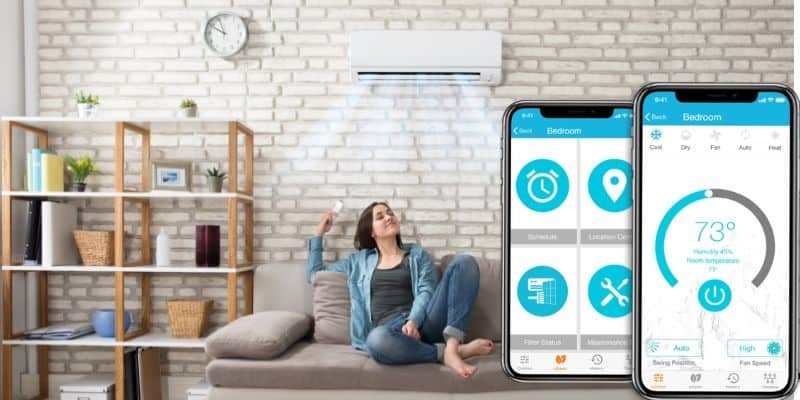
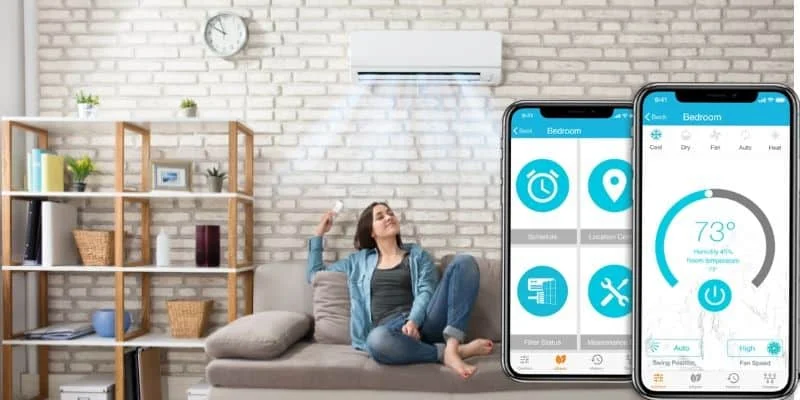
The Sensibo Sky is my top pick for most people, and it’s the one I ordered. It turns almost any window, portable, or mini-split AC into a smart unit you can run from your phone — iOS, Android, or the web — from anywhere.
The coolest trick is geofencing: it can fire up the AC as you head home and shut it off after the last person leaves. Add seven-day scheduling, Climate React triggers that watch temperature and humidity, IFTTT, and support for Alexa, Google, and Siri, and it’s the most complete app of the three. Sensibo says you can save up to 40% on cooling costs — in my experience it’s closer to 20%, but the convenience alone is worth it.
Pros
- Control AC from anywhere using your phone
- Geofencing turns AC on and off automatically
- Works with Alexa, Google, and Apple Siri
- Climate React responds to temperature and humidity
- Supports international and hard-to-fit AC models
Cons
- No on-device screen or physical buttons
- Some buyers find initial setup fiddly
Video Review: Sensibo Sky
Video credit: Gadget Whisperer
Adds Wi-Fi and voice control to any AC with a remote for effortless smart automation.
#2 – Cielo Breez Max: Best On-Device Control
Coolness
At a Glance
- Compatibility: Window, portable & mini-split ACs with an IR remote
- Power: 5V adapter (included), or 12V/24V hard-wiring
- Voice / Smart Home: Alexa & Google Assistant
- Screen / Display: Yes — on-device screen and buttons
- Use Case: Best if you want physical controls, not just an app
The Cielo Breez Max is the close runner-up, and it’s the pick if you want a display and real buttons on the wall instead of reaching for your phone every time. It controls any window, portable, or mini-split AC with an IR remote and connects through your home Wi-Fi.
You get weekly schedules, on-device local control, and triggers based on temperature or humidity, plus Alexa and Google support. Cielo claims around 25% energy savings. On a budget? The newer Cielo Breez Lite drops the screen and comfort presets but keeps app control and geofencing for a lot less.
Pros
- On-device screen and physical wall buttons
- Weekly schedules match your daily routine
- Schedules keep running when Wi-Fi drops
- Triggers cooling by temperature or humidity
- Budget Cielo Breez Lite is available
Cons
- Requires an existing AC remote
- No Apple Siri support built in
Video Review: Cielo Breez Max
Video credit: Cielo
#3 – tado° Smart AC Control: Best Weather Smarts
Coolness
At a Glance
- Compatibility: ACs/heat pumps with an IR remote that shows current settings
- Power: USB powered, wall-mount
- Voice / Smart Home: Alexa & Google Assistant
- Screen / Display: Yes — on-device temperature display
- Use Case: Best for hands-off, weather-aware automation
Like the others here, the tado° Smart AC Control turns a dumb AC smart through a controller and a phone app, and it needs your AC to have an existing IR remote. The controller has a sleek design with a handy display that shows the current room temperature and a status indicator.
The app is where the magic happens: manual control plus automated modes, schedules up to a week ahead, and advanced geolocation so the AC powers on as someone heads home and off when the last person leaves. The catch is compatibility — a few buyers report setup issues with certain IR ACs, so confirm yours is supported before buying.
Pros
- Tracks temperature and humidity over time
- Excellent app feels easier than rivals
- Geolocation starts and stops cooling automatically
- Seven-day scheduling plans a week ahead
- Sleek controller shows room temperature clearly
Cons
- Requires an existing AC remote
- Compatibility can be fussy on some ACs
- Needs line of sight to the AC
Video Review: tado° Smart AC Control
Video credit: tado°
How to Choose Between Sensibo Sky vs Ceilo vs Tado
All three turn a “dumb” AC smart, so the Sensibo Sky vs Ceilo vs Tado choice comes down to how you like to control it and how hands-off you want to be.
Want one app that does everything, plus Siri and geofencing? Go Sensibo. Want a screen and buttons on the wall so anyone can adjust the AC without your phone? The Cielo Breez Max (or the cheaper Lite) is built for that. Want the AC to think for itself using outside weather? tado° wins — just confirm your remote is supported first. All three need an existing IR AC remote and home Wi-Fi for setup.
Smart AC Controller FAQs
Quick answers to the questions buyers ask most about the Sensibo Sky vs Ceilo vs Tado controllers.
1. Do smart AC controllers actually save money?
Yes, usually enough to pay for themselves within a season or two. Makers advertise 25–40% savings; in real-world use I landed closer to 20%. Scheduling, geofencing, and weather adjustments stop the AC running when no one needs it, which is where most of the savings — and the convenience — actually come from.
2. Which controller is best for a portable AC?
Any of the three works with portable units, as long as the AC uses an infrared remote. The Sensibo Sky is the easiest all-rounder, the Cielo Breez Max adds on-device buttons, and tado° adds weather automation. For more on portable units themselves, see the picks linked in the verdict below.
3. Do these smart AC controllers work without Wi-Fi?
They need Wi-Fi for setup and remote control, but all three keep running their schedules locally if Wi-Fi drops. The Cielo Breez Max goes furthest here thanks to its on-device screen and buttons, which let you adjust the AC by hand with no app or network at all.
4. Does the Sensibo Sky work with Apple Siri?
Yes. The Sensibo Sky is the only controller of the three with Alexa, Google Assistant, and Apple Siri support, which is a big reason it’s my top pick. The Cielo Breez Max and tado° both work with Alexa and Google, but neither offers Siri voice control at the time of writing.
5. Do I need an existing AC remote?
Yes. Every controller here learns your AC’s infrared signals, so your unit must have a working IR remote. tado° is the strictest: its remote needs an on-screen display of the current settings. Window, portable, and mini-split ACs with a standard remote all qualify.
Sensibo Sky vs Ceilo vs Tado: The Verdict
So, in the Sensibo Sky vs Ceilo vs Tado matchup, here’s how I’d choose — I did a ton of research and ended up ordering the Sensibo Sky myself.
- Choose the Sensibo Sky if you want the best all-rounder — geofencing, Alexa, Google, and Siri, and the simplest app.
- Choose the Cielo Breez Max if you want an on-device screen and buttons (or the cheaper Lite if money’s tight).
- Choose tado° if you want weather-based automation — just confirm your AC’s remote is supported first.
Can these really cut your bill 40%? In my experience it’s closer to 20% — but the convenience features make it totally worth it. Got one of these? Drop a comment and let me know how much you’re saving.

Love tech? Subscribe for iPhone tips, fun tech tips, unboxings, and reviews.
Subscribe Now