As an Amazon affiliate, I earn from qualifying purchases.
College dorm tech essentials should make studying, charging, backup, communication, and downtime easier without taking over a shared room.
The Gear I Can Stand Behind
 My sons are older now. They have graduated, started working, and are well past the point where I am packing a college dorm room with them.
That makes this list more honest. I have first-hand experience across the lineup and label current configurations that differ from what I own; the Roborock Saros 10R is my research-only pick for a larger suite.
I only recommend college dorm tech essentials that earn the space they take up. Each pick solves an academic or small-space living problem, whether that means faster work, safer charging, better file backup, or fewer roommate headaches.
Before move-in, check the residence-hall handbook and campus network rules. University of Michigan Housing is a useful example, but the student’s own campus policy is the one that counts.
Key Takeaways
Use these three filters before spending.
- Start with the work. Protect the main computer, charging, input, and backup before buying decorative upgrades.
- Check the campus. Confirm power, Wi-Fi, lamp, robot, and smart-device rules before setup.
- Respect shared space. Agree on sound, light, cameras, microphones, floor use, and account privacy.
Comparison Table: Top College Dorm Tech Essentials
This college dorm tech essentials table compares the five highest-ranked purchases across gaming, study, audio, charging, and backup.
| Best Gaming Desktop | Best Study Tablet | Best Noise-Cancelling Headphones | Best Charger | Best Backup Drive | |
|---|---|---|---|---|---|
| Product Image |

|

|

|

|

|
| Model | CyberPowerPC Gamer Xtreme | Apple iPad 11-inch (A16, 128GB, Wi-Fi) | Beats Studio Pro | UGREEN Nexode 100W 4-Port GaN Charger | Samsung T7 Shield 1TB Portable SSD |
| Rank | 1 | 2 | 3 | 4 | 5 |
| Best Fit | Best fitChoose this when gaming power justifies a permanent desk footprint. | Best fitChoose this for portable notes, reading, calls, and second-screen work. | Best fitChoose this for private listening, focused study, calls, and travel. | Best fitChoose this to charge a laptop, tablet, phone, and accessories together. | Best fitChoose this for fast local backups of coursework and media projects. |
| Daily Essential | |||||
| Daily Role | Gaming and creation | Notes and reading | Study and audio | Power hub | Files and projects |
| Campus Check | |||||
| Room Footprint | Full desk setup | Small tablet | Folding headphones | One wall outlet | Pocket drive |
| Roommate Check | |||||
| Power | High wall power | USB-C charging | USB-C battery | Up to 100W | USB bus power |
| Tim Owns It | |||||
| Connection | Wi-Fi and Ethernet | Wi-Fi | Bluetooth, USB-C, 3.5mm | Three USB-C, one USB-A | USB-C |
| Check Price | Check Price | Check Price | Check Price | Check Price | Check Price |
#1 – CyberPowerPC Gamer Xtreme: Best Gaming Desktop
Best Fit
Choose this when gaming power justifies a permanent desk footprint.
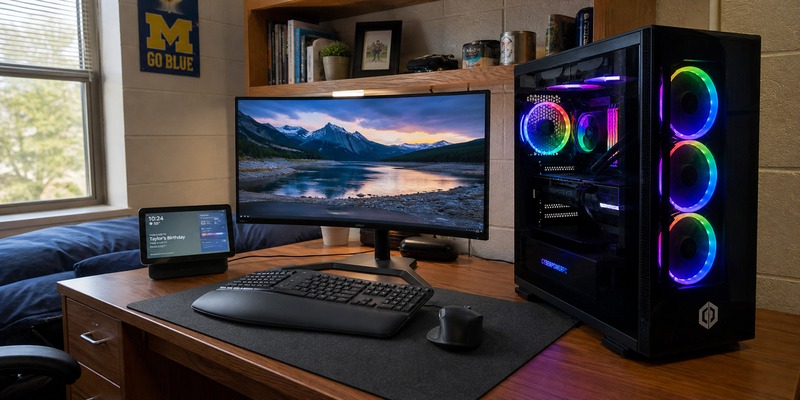
CyberPowerPC Gamer Xtreme earns my first spot among college dorm tech essentials because I own a closely related Gamer Xtreme and know what this kind of desktop brings to a desk. The current configuration pairs an Intel Core i9-14900KF with RTX 5070 graphics, 32GB of DDR5 memory, and a 2TB SSD for demanding games, editing, and local project work.
I would only bring it after measuring the desk and planning the entire setup. The tower needs ventilation, a monitor, peripherals, secure storage, and enough roommate agreement that late-night fans, lighting, and game audio do not turn a shared room into a problem.
TecTimmy Video: CyberPowerPC
This TecTimmy video shows the CyberPowerPC Gamer Xtreme desktop I own, not this exact GXiVR8080A39 configuration. It provides first-hand setup context and is not an exact review.
Video Credit: TecTimmy
Pros
- RTX 5070 handles demanding modern games smoothly
- 32GB memory supports heavy multitasking and creation
- Two-terabyte SSD leaves meaningful project headroom
- Desktop platform allows future component upgrades
- Related Gamer Xtreme has proven dependable for me
Cons
- Full setup consumes scarce desk space
- High replacement cost raises theft concerns
- Cooling fans need open ventilation clearance
Current RTX 5070 desktop with 32GB memory and 2TB storage.
#2 – Apple iPad 11-inch (A16, 128GB, Wi-Fi): Best Study Tablet
Best Fit
Choose this for portable notes, reading, calls, and second-screen work.
Apple iPad 11-inch (A16, 128GB, Wi-Fi) is the lighter device I would grab for reading, handwritten notes, video calls, and reviewing material away from the desk. I own and use iPads, and the A16 model offers a useful screen without pushing every buyer into the much higher price of an iPad Pro.
Do not assume iPadOS can replace a Windows or Mac laptop required by a department. Keyboard, Pencil, case, and hub costs also add up quickly, so I would decide on the exact note-taking and second-screen role before buying accessories.
TecTimmy Video: Apple iPad
This TecTimmy video covers practical iPad buying checks, but it is not an exact review of this 11-inch A16 configuration.
Video Credit: TecTimmy
Pros
- Light enough for daily campus carry
- Eleven-inch screen keeps textbooks readable
- A16 chip handles everyday student apps
- USB-C simplifies a shared charging kit
- Long software support protects the purchase
Cons
- Desktop-only course software may not run
- Keyboard and Pencil increase total cost
- Base storage needs active file management
#3 – Beats Studio Pro: Best Noise-Cancelling Headphones
Best Fit
Choose this for private listening, focused study, calls, and travel.
Beats Studio Pro is my headphone pick because private listening makes far more sense than filling a shared room with another speaker. I own Beats headphones and directly compared Studio Pro with Beats Solo on TecTimmy, so I can stand behind the stronger isolation, over-ear design, and flexible wired and wireless connections.
For college use, adaptive noise cancellation helps with a busy library or a roommate on a call, while Transparency mode lets outside sound back in when awareness matters. I would still try the clamping feel before buying and compare the asking price, because comfort matters more than the logo during a long study session.
TecTimmy Video: Beats Studio Pro
This TecTimmy comparison directly covers Beats Studio Pro alongside Beats Solo, so the Studio Pro product match is exact.
Video Credit: TecTimmy
Pros
- Adaptive ANC reduces distracting background noise
- Transparency mode restores useful room awareness
- USB-C audio supports lossless wired listening
- Three-point-five-millimeter input works with legacy gear
- Up to forty hours covers long travel days
Cons
- Premium price needs a real daily use case
- Over-ear clamp may fatigue some listeners
- ANC reduces maximum battery to twenty-four hours
These premium wireless headphones made famous by Dr Dre have rich sound, noise cancellation, and all-day battery life.
#4 – UGREEN Nexode 100W 4-Port GaN Charger: Best Charger
Best Fit
Choose this to charge a laptop, tablet, phone, and accessories together.
UGREEN Nexode 100W 4-Port GaN Charger is the adapter I would use to stop a small desk from becoming a pile of charging bricks. It belongs high among college dorm tech essentials because three USB-C ports and one USB-A port can cover a laptop, tablet, phone, and accessory from one outlet.
The 100W figure is a shared total, not a promise that every connected port stays at full speed. I would map each device to the correct port and buy properly rated cables before move-in instead of troubleshooting a slow laptop charge during the first week.
TecTimmy Video: UGREEN Charger
This TecTimmy video demonstrates fast-charging behavior with a different 45W charger; it is not a UGREEN Nexode 100W review.
Video Credit: TecTimmy
Pros
- Four ports reduce wall-adapter clutter
- GaN design keeps the charger compact
- Single port can handle many laptops
- USB-A preserves older accessory support
- Owned charger simplifies my travel kit
Cons
- Output changes as more ports connect
- High-power cables may cost extra
- One failure affects several charging routines
#5 – Samsung T7 Shield 1TB Portable SSD: Best Backup Drive
Best Fit
Choose this for fast local backups of coursework and media projects.
Samsung T7 Shield 1TB Portable SSD gives a student a fast local copy of papers, media, and project folders instead of leaving every recovery plan to one laptop or one cloud account. I own Samsung portable SSDs, and I prefer the Shield version here because the tougher enclosure fits campus carry better.
It still needs a routine. I would schedule backups, encrypt sensitive files, label the drive, and keep it somewhere different from the laptop; a tiny SSD stored in the same stolen bag is not much of a disaster plan.
TecTimmy Video: Samsung T7 Shield
This TecTimmy video covers a Samsung T7 Portable SSD, not the rugged T7 Shield 1TB model recommended here.
Video Credit: TecTimmy
Pros
- Fast USB connection shortens backup windows
- Rugged shell handles regular bag travel
- One-terabyte capacity suits large projects
- Small footprint disappears beside a laptop
- Bus power avoids another wall adapter
Cons
- Small drive is easy to misplace
- Backups fail when routines are ignored
- Peak speed depends on host connection
#6 – Anker Prime 26,250mAh 300W Power Bank: Best Power Bank
Best Fit
Choose this for long days with a laptop far from outlets.

Anker Prime 26,250mAh 300W Power Bank is the battery I would pack for a long day when a laptop, tablet, and phone all need a real reserve. The capacity and output are far beyond a pocket phone charger, and I own this model rather than recommending it from a spec sheet.
This is a premium, heavy answer to a specific problem. I would not carry it around campus unless long labs, travel, or scarce outlets repeatedly justify the weight, and I would review airline watt-hour rules before flying with it.
TecTimmy Video: Anker Prime
This TecTimmy video covers a different AOHI 240W power bank; it illustrates high-output charging rather than reviewing this Anker Prime model.
Video Credit: TecTimmy
Pros
- High capacity can recharge larger devices
- Three ports support a mixed-device bag
- Strong output handles compatible laptops
- Display makes remaining power easier to judge
- Owned model has clear real-world utility
Cons
- Heavy battery adds noticeable bag weight
- Premium capacity carries a premium price
- Air travel requires battery-rule awareness
High-capacity three-port battery for laptops, tablets, phones, and travel.
#7 – Dell Inspiron 16 Plus 7640: Best Main Laptop
Best Fit
Choose this for demanding Windows coursework and serious creative projects.

Dell Inspiron 16 Plus 7640 looks and works like the laptop I use, which is why it stays as my first-hand Windows recommendation. It handles papers and video calls easily, while the large display, RTX graphics, memory, and storage also support editing and demanding applications.
Within these college dorm tech essentials, its weakness is portability rather than capability. The 7640 is an older family, so I would compare the exact configuration, weight, warranty, and price against its current successor before assuming the familiar model is automatically the best deal.
TecTimmy Video: Dell Inspiron
Video Credit: TecTimmy
Pros
- Full Windows software supports demanding courses
- Large display makes desk work comfortable
- Strong configuration handles editing and graphics
- Two-terabyte SSD holds substantial project libraries
- My owned laptop provides first-hand confidence
Cons
- Older model needs careful price comparison
- Large chassis is less campus-friendly
- Dedicated graphics reduce battery endurance
#8 – Divoom Times Frame: Best Desk Display
Best Fit
Choose this for a personality-rich desk display with practical widgets.

Divoom Times Frame is one of the more personal products here because I own it, use it, and just put it through a TecTimmy video. The 10.1-inch display can rotate through photos, weather, calendar information, and pixel art without taking over an entire desk.
I would give it a job before buying it. A schedule, clock, weather view, or rotating family photos can earn the footprint; another bright screen that competes with studying cannot, especially when a roommate also sees it across the room.
TecTimmy Video: Divoom Times Frame
Video Credit: TecTimmy
Pros
- Widgets put useful information within view
- Photos make a dorm desk feel personal
- Sixty-four gigabytes supports local media
- Wi-Fi 6 keeps content updates responsive
- Owned display has distinctive visual personality
Cons
- Optional screen competes for attention
- Always-on brightness may bother roommates
- Desk footprint needs a defined purpose
#9 – Govee RGBICWW Cylinder Floor Lamp: Best Floor Lamp
Best Fit
Choose this when adjustable lighting matters and floor space is available.

Govee RGBICWW Cylinder Floor Lamp is the lighting pick I can defend from ownership and a full setup video. It moves from practical white light to softer ambient light and segmented color effects, giving a small room more flexibility than a basic decorative lamp.
It belongs among college dorm tech essentials only after checking the residence-hall lamp policy and measuring a safe corner. I would also agree on brightness schedules with a roommate, because the most capable light in the world becomes a bad purchase when it disrupts sleep.
TecTimmy Video: Govee Cylinder Lamp
Video Credit: TecTimmy
Pros
- White light supports practical desk routines
- Segmented color creates flexible ambient scenes
- App and voice offer convenient control
- Slim column uses limited floor area
- Owned lamp has a verified setup path
Cons
- Residence halls may restrict floor lamps
- Bright effects can disturb a roommate
- Connected controls may need network workarounds
#10 – Apple Watch Ultra 3: Best Premium Wearable
Best Fit
Choose this for serious training, navigation, and iPhone-connected safety tools.

Apple Watch Ultra 3 is the premium wearable among these college dorm tech essentials, and I recommend it from personal Apple Watch Ultra ownership rather than because every student needs one. The large bright display, rugged case, navigation, training tools, cellular option, and safety features can matter for outdoor programs or serious athletics.
For most buyers, a standard Apple Watch costs less and handles notifications and everyday workouts. I would try the 49mm case on first, confirm iPhone compatibility, and make sure its rugged features solve real weekly needs before spending at this level.
TecTimmy Video: Apple Watch Ultra
This TecTimmy video covers the Apple Watch Ultra family, but the source does not identify the current Ultra 3 generation.
Video Credit: TecTimmy
Pros
- Bright display remains readable outdoors
- Rugged titanium case handles active use
- Cellular option reduces phone dependence
- Fitness tools support serious training plans
- Owned Ultra experience supports this recommendation
Cons
- Large case overwhelms smaller wrists
- Premium price exceeds most student needs
- Requires an iPhone for full setup
Premium rugged smartwatch with cellular, satellite, health, and fitness features.
#11 – Roborock Saros 10R: Best Robot Vacuum
Best Fit
Choose this only for an approved suite with usable open floor space.

Roborock Saros 10R is the clear exception to my ownership story: I do not own it. I kept it as a researched premium pick for a permitted suite or apartment because the low body, strong claimed suction, obstacle handling, and automated dock address a larger shared floor better than a basic robot.
It is not a sensible default for a tight traditional dorm. The dock consumes space, cords and thresholds still matter, mapping raises privacy questions, and the price is hard to defend unless several residents agree on use, placement, maintenance, and account control.
TecTimmy Video: Roborock Saros 10R
Tim does not own this robot vacuum. This exact-model review is from Vacuum Wars and is included as independent research.
Video Credit: Vacuum Wars
Pros
- Low body reaches beneath more furniture
- Automated dock reduces daily floor-care work
- Strong claimed suction targets mixed debris
- Obstacle handling suits busier shared floors
- Independent exact-model review supports research
Cons
- Tim has not personally owned it
- Dock requires substantial permanent floor space
- Mapping and cameras require roommate consent
#12 – Amazon Echo Show 11: Best Smart Display
Best Fit
Choose this for calls, recipes, calendars, and glanceable room information.

Amazon Echo Show 11 is the smart display I would choose for video calls, recipes, calendars, timers, photos, and information that should remain readable from across a room. I own Echo Show hardware, and the 11-inch screen, 13MP camera, and improved speaker system make this role feel genuinely useful.
Echo Show 8 is the valid lower-cost alternative when the 11 is too expensive. I would skip Echo Show 5 for this job: its 5.5-inch screen is too small for across-room recipes, and its compact audio is a poor fit beside the front-facing stereo speakers and woofer in the 8 and 11.
TecTimmy Video: Echo Show 11
This TecTimmy device guide explicitly includes and discusses the Echo Show 11.
Video Credit: TecTimmy
Pros
- Large display keeps recipes and calls readable
- Thirteen-megapixel camera supports clear video calls
- Stereo speakers provide stronger room audio
- Calendar widgets keep schedules visible
- Owned Echo experience supports setup guidance
Cons
- Campus Wi-Fi may block smart setup
- Camera and microphone require shared consent
- Larger display consumes useful desk space
The Amazon Echo Show 11 features a vibrant 11-inch Full-HD display, spatial audio, and Alexa+.
#13 – Logitech MX Master 4: Best Desk Mouse
Best Fit
Choose this for long editing, spreadsheet, coding, and research sessions.

Logitech MX Master 4 is the current mouse I would put beside a serious laptop setup. It earns a place among college dorm tech essentials through quiet clicks, precise tracking, the MagSpeed wheel, customizable haptics, and app shortcuts that can reduce repetitive work during editing, research, spreadsheets, or coding.
I own Logitech productivity mice, but fit still comes first. The MX Master 4 is large, right-handed, and expensive, so a student should try the shape and decide whether Logi Options+ features will be used instead of paying for controls that remain at their defaults.
TecTimmy Video: Logitech MX Master 4
This TecTimmy troubleshooting video covers Logitech mouse lag, but the source does not identify an MX Master 4.
Video Credit: TecTimmy
Pros
- Quiet clicks suit a shared study space
- Eight-thousand-DPI sensor tracks on glass
- MagSpeed wheel handles long documents quickly
- Haptic feedback adds useful control cues
- Battery can last up to seventy days
Cons
- Right-handed shape excludes some buyers
- Premium price exceeds basic mouse needs
- Advanced features depend on Logi Options+
#14 – Amazon Echo Dot Max: Best Alexa Speaker
Best Fit
Choose this for screen-free Alexa control and stronger compact-speaker sound.

Amazon Echo Dot Max is the Alexa speaker I would choose when a screen would be a distraction but voice control, timers, weather, music, and smart-home commands still matter. I own Echo speakers, and my exact Dot Max setup video shows the real onboarding path rather than a generic smart-speaker promise.
This device should never appear in a shared room by surprise. I would confirm the campus device-registration process, disable purchasing features, review Drop In and voice-history settings, and agree on microphone and volume rules before leaving it connected.
TecTimmy Video: Echo Dot Max
Video Credit: TecTimmy
Pros
- Compact body leaves more desk space
- Stronger bass improves everyday music playback
- Screen-free design reduces visual distraction
- Exact setup video documents the process
- Alexa routines support simple daily reminders
Cons
- Campus Wi-Fi may complicate onboarding
- Always-listening microphone needs roommate consent
- Shared voice purchasing must be disabled
Echo Dot Max is Amazon's newest speaker with Alexa+ and improved sound quality.
#15 – Perixx PERIBOARD-612: Best Ergonomic Keyboard
Best Fit
Choose this for long papers when a split keyboard fits the desk.

Perixx PERIBOARD-612 is the keyboard I would consider for long papers, coding sessions, and anyone who prefers a split layout with a built-in palm rest. I own Perixx Periboard keyboards, and this exact model combines Bluetooth and 2.4GHz wireless modes with Windows and Mac support.
The size is the deciding factor. At 485mm wide, it needs a real desk rather than a narrow pullout tray, and a student should expect an adjustment period before the split membrane layout feels natural during fast typing.
TecTimmy Video: Perixx Keyboard
This TecTimmy video covers a wireless ergonomic Perixx Periboard, but the source does not state the PERIBOARD-612 model number.
Video Credit: TecTimmy
Pros
- Split layout supports a more neutral posture
- Built-in palm rest supports long sessions
- Bluetooth and receiver offer connection choice
- Full number pad helps spreadsheet work
- Owned Perixx experience supports the recommendation
Cons
- Wide body consumes substantial desk space
- Split layout requires a learning period
- Two AA batteries require spare planning
How to Choose College Dorm Tech Essentials
The right college dorm tech essentials solve a repeated problem without creating a new one for the budget, network, floor plan, or roommate.
What I Look For When I Buy
I would make every college dorm tech essentials purchase pass these practical checks.
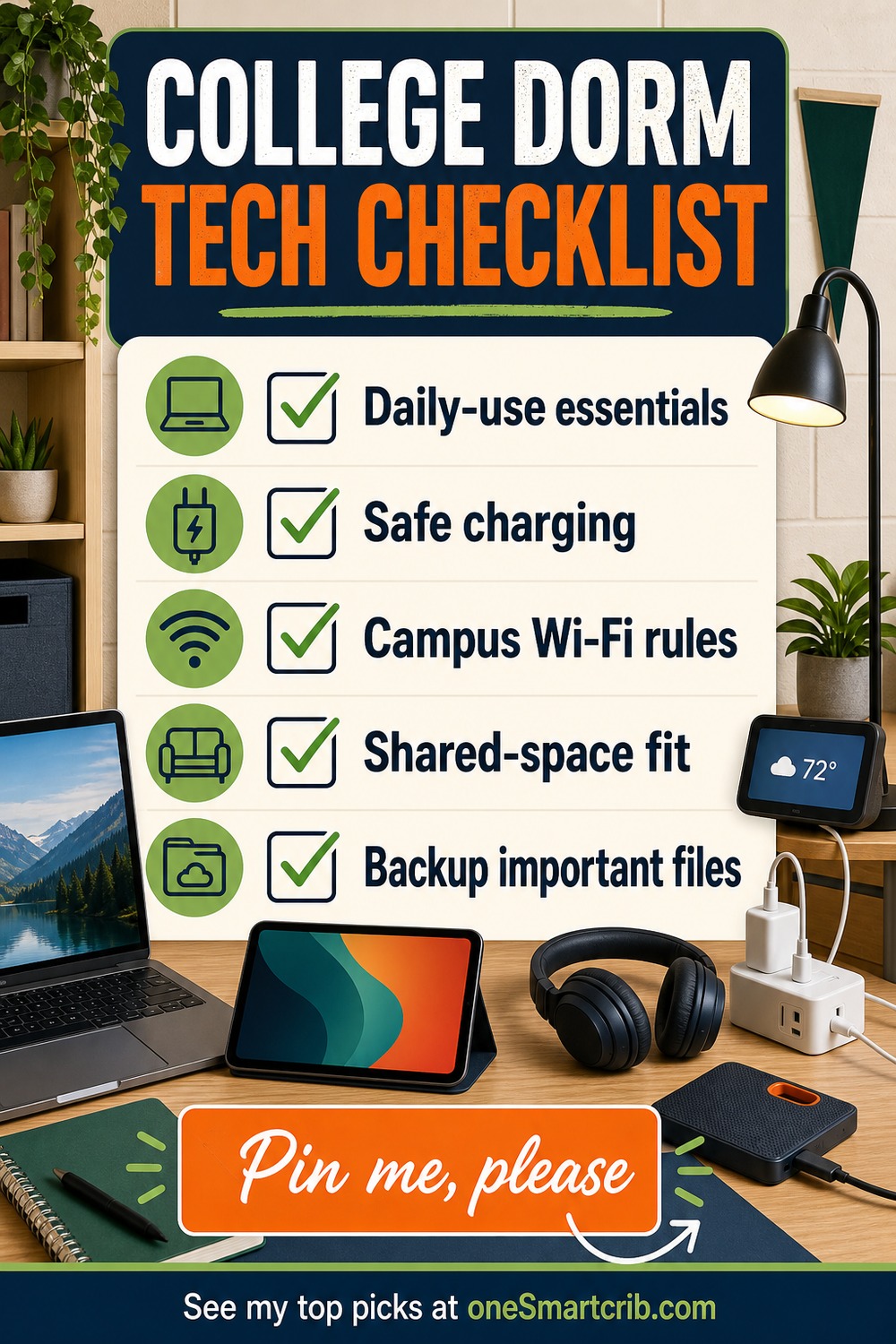
- ✓Protect schoolwork first. Prioritize the main computer, dependable charging, quiet study, and a backup routine.
- ✓Measure the room. Check desk, floor, dock, ventilation, and cable space before buying larger gear.
- ✓Read campus rules. Verify electrical, lamp, network, battery, and connected-device policies before move-in.
- ✓Plan for shared space. Discuss light, sound, privacy, cleaning, and floor use with a roommate.
What to Check Before You Buy
- ✕Confirm residence-hall power, lamp, battery, robot, and appliance rules before buying.
- ✕Check campus Wi-Fi onboarding before depending on Alexa or another smart device.
- ✕Measure desk and floor space, then agree on sound, light, privacy, and shared accounts.
FAQs
These practical questions cover the buying and setup issues that matter before move-in.
1. What college dorm tech essentials should I buy first?
Start with a reliable laptop, a safe charging plan, quiet headphones, and a backup drive because those tools support schoolwork every week. Add a tablet or power bank only when your schedule creates a need. Decorative displays, premium wearables, gaming desktops, lamps, and robot vacuums should wait until the room, rules, and budget are confirmed.
2. How do I check whether dorm technology is allowed?
For college dorm tech essentials, read the housing handbook and IT instructions before move-in. Check approved lamps and power strips, device-registration rules, wireless restrictions, insurance guidance, and limits on cooking, batteries, or floor equipment. If a rule is unclear, ask housing or IT instead of assuming a product is permitted at your school.
3. Can college dorm tech essentials connect to campus Wi-Fi?
Many devices can connect, but college networks often use browser sign-ins, registration, or security methods that smart products cannot complete. Some schools offer a network for consoles and connected devices. Check Wi-Fi requirements and campus instructions before buying. Never add a router when housing or IT policy prohibits one in your residence hall.
4. Are expensive dorm gadgets worth it?
Expensive college dorm tech essentials are worth considering when they solve a problem each week that a cheaper option cannot. Premium headphones may protect study time, and a laptop may support required software. A watch, gaming desktop, display, lamp, or robot vacuum is optional. Compare use, footprint, warranty, theft risk, and accessory cost before buying.
5. How can roommates share college dorm tech essentials safely?
Agree on placement, brightness, sound, cleaning, charging, and privacy before setup and before plugging devices in. Keep exits and vents open, label chargers, avoid overloaded outlets, and ask before mapping a room with a robot or adding a voice assistant. Each person should control accounts, passwords, backups, and purchases rather than sharing credentials for convenience.
College Dorm Tech Essentials Verdict
 The best college dorm tech essentials begin with the computer and accessories that support real weekly work, then add audio, lighting, Alexa, or cleaning gear only when each product earns its space.
- Best main machine: Choose CyberPowerPC Gamer Xtreme if a student has room, ventilation, and a real need for desktop gaming power.
- Best portable companion: Choose Dell Inspiron 16 Plus 7640 if a student needs full Windows software and a roomy 16-inch workspace.
- Best quiet-study upgrade: Choose UGREEN Nexode 100W 4-Port GaN Charger if one dependable wall charger can replace several bulky adapters.
I would start with the Dell when a portable Windows computer is essential, choose the CyberPowerPC only when gaming power justifies the footprint, and use the UGREEN charger to simplify a crowded desk. If you want to compare more options, my connect Amazon Alexa to college dorm Wi-Fi explains the differences.

Love tech? Subscribe for iPhone tips, fun tech tips, unboxings, and reviews.
Subscribe Now