As an Amazon affiliate, I earn from qualifying purchases.
In the blog post, I’ll give you my picks for the best universal remote apps for iPhone that you can get right now. To not keep you in suspense, they are:
- #1 – Editor’s Choice: BroadLink
- #2 – Remote & App: Sofabaton
- #3 – Budget IR Blaster: BestCon
- #4 – For Roku: Roku Official
- #5 – For Apple TV: ATV Official
- #6 – For Fire TV: Fire TV Official
- #7 – For YouTube TV: YTV Official
- #8 – For Samsung TV: Smartthings
- #9 – For LG TVs: LGeeRemote
- #10 – For Vizio TVs: VIZIO Mobile
Too Many Remotes? Use Your Phone Instead!
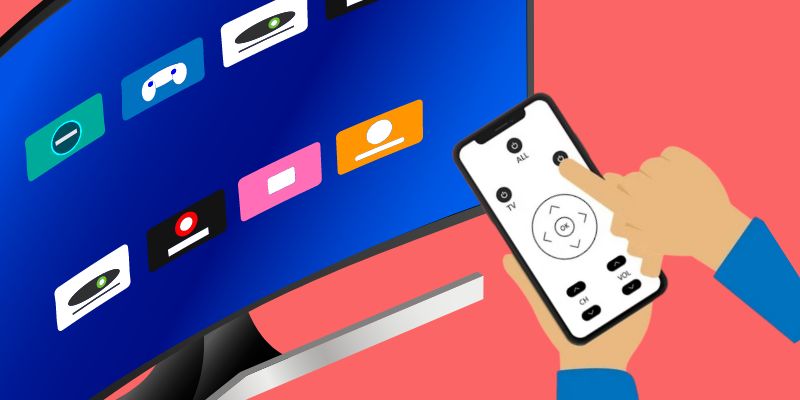
 Tired of juggling multiple remote controls? You might consider downloading one of the best universal remote apps for iPhone instead. If you have an iPhone, you have several options.
With one of the best universal remote apps for iPhone, you can control your TV, set-top box, streaming players, and even your air conditioner from your phone.
But with so many apps on the App Store, how do you know which ones are worth your time and money?
To help you out, I’ve compiled a list of the best of the best, all of which I have personally tested. I’ve included a mix of free, ad-supported, and paid apps with impressive features to help you control your home theater and some smart home gear.
To make finding the right app easy, I’ll order them according to my overall rating when this post was published.
Let’s start with a comparison table of my top three picks.
Best Universal Remote Apps for iPhone: Top 5
The following table highlights the key features of the best universal remote apps for iPhone side by side for my top five picks.
Best Universal Remote Apps for iPhone: Top 5
The following table highlights the key features of the best universal remote apps for iPhone side by side for my top five picks.
| Editor's Choice | Remote & App | Budget IR Blaster | For Roku | For Apple TV | |
|---|---|---|---|---|---|
| Product Image |

|

|

|
 |
 |
| Model | BroadLink RM4 Mini | SofaBaton U3 | BestCon RM4C Mini | Roku Official | Apple TV Remote |
| Rank | 1 | 2 | 3 | 4 | 5 |
| Best Fit | Best fitChoose BroadLink when one iPhone app needs broad IR device control. | Best fitChoose SofaBaton U3 when you want an app plus physical buttons. | Best fitChoose BestCon for low-cost app control of compatible IR devices. | Best fitChoose Roku Official for a free Roku backup remote on iPhone. | Best fitChoose Apple TV Remote for Control Center access on iPhone. |
| Physical Remote | |||||
| My Score | 95% | 100% | 90% | 90% | 95% |
| Cross-brand Control | |||||
| Control Method | iPhone app plus Wi-Fi IR hub | iPhone app plus physical universal remote | iPhone app plus Wi-Fi IR hub | Official iPhone app over Wi-Fi | Built into iPhone Control Center |
| Where to buy | Check Price | Check Price | Check Price | Download for iOS | Learn at Apple.com |
BroadLink RM4 Mini
SofaBaton U3
BestCon RM4C Mini
Roku Official
Apple TV Remote
#1 – BroadLink: Editor's Choice
Best Fit
Choose BroadLink when one iPhone app needs broad IR device control.
At a Glance
- Price Model: Paid
- Control: Wi-Fi IR hub and iPhone app
- Compatibility: 50,000+ IR devices
- Network: 2.4 GHz Wi-Fi
The BroadLink RM4 Mini is my Editor’s Choice for out of the best universal remote apps for iPhone due to its high compatibility and functionality. While it isn’t free like some apps here, this IR app and hub-based product can control over 50,000 devices like TVs, STBs, air conditioners, fans, video recorders, and DVDs.
It constantly updates its cloud-based device library to ensure compatibility with the latest devices. The intuitive universal remote app is an outstanding backup for your home theater devices.
Pros
- Broad compatibility with IR devices
- Constant cloud updates
- Controls both home theater and smart home devices
- Intuitive BroadLink App user interface
Cons
- Not free
- Supports only 2.4 GHz Wi-Fi, not 5 GHz
- Temperature and humidity sensor must be purchased separately
#2 – SofaBaton U3: Remote & App
Best Fit
Choose SofaBaton U3 when you want an app plus physical buttons.
At a Glance
- Price Model: Paid
- Control: IR, BLE/BT, and learnable RF
- Display: 2.4-inch LCD
- App: SofaBaton for iOS or Android
SofaBaton U3 pairs a physical remote with the SofaBaton iPhone app. I was genuinely impressed by both when testing the previous generation; this U3 recommendation uses current SofaBaton documentation rather than a new hands-on test.
The U3 app handles device setup, button customization, and macros for compatible IR, Bluetooth, and learnable RF gear. The remote adds a 2.4-inch LCD, USB-C charging, and physical controls, while Google voice and Air Mouse depend on compatible Bluetooth devices.
More Universal Remote Options
Video Credit: TecTimmy
Pros
- Broad compatibility across IR, Bluetooth, and learnable RF devices
- Customizable app, buttons, and one-touch macros
- Physical remote with a 2.4-inch LCD and scroll wheel
- Rechargeable battery with USB-C charging
Cons
- Initial setup can take time
- Google voice and Air Mouse require compatible Bluetooth devices
- No new hands-on U3 test completed yet
#3 – BestCon: Budget IR Blaster
Best Fit
Choose BestCon for low-cost app control of compatible IR devices.
At a Glance
- Price Model: Paid
- Control: Wi-Fi IR hub and iPhone app
- Compatibility: 50,000+ IR devices
- Voice: Alexa and Google Home
I literally just bought the Bestcon RM4C Mini Universal IR Blaster to test out for this roundup on the best universal remote apps for iPhone and see how it compares to Broadlink Mini. I’m encouraged that this well-rated budget remote could be a viable app for controlling home theater equipment and smart devices.
With support for over 50,000 IR-controlled devices, including TVs, STBs, air conditioners, and more, I can’t wait to start testing this puppy. Integrating with Alexa and Google Home for voice control adds another convenience layer.
However, I did come across a customer complaint about the limited range, which I’ll keep in mind during further testing.
Pros
- Wide compatibility with 50,000+ IR controlled devices
- Large IR database constantly updated on the cloud
- Voice control integration with Alexa and Google Home
- Customizable scenes and timers for automation
- Easy sharing with family members for a smarter lifestyle
Cons
- At least one user reported limited range for controlling devices
- Lack of support for certain specific devices
- Some connectivity issues with certain phone models
#4 – Roku Official: For Roku
Best Fit
Choose Roku Official for a free Roku backup remote on iPhone.
At a Glance
- Price Model: Free; Roku device required
- Connection: Same-network Wi-Fi
- Voice: Voice search
- Extras: Private listening and casting
In preparation for this review, I tested the Roku Official app with my Roku Streambar, and I have found it to be a must-have as a backup remote for Roku streamers. The app provides convenient control over Roku devices with a user-friendly remote, allowing seamless navigation and access to a wide range of entertainment options.
With features like voice search, private listening, and the ability to stream free movies and live TV, the Roku Official app enhances the streaming experience. Additionally, users can effortlessly cast media files from their phone to the TV and easily add and launch channels on Roku devices.
Pros
- Convenient control of Roku devices
- Voice search for quick entertainment discovery
- Private listening with headphones
- Free streaming of movies and live TV
- Easy media casting from your phone
Cons
- Limited availability and features based on country
- Wi-Fi connection required for app functionality
- Occasional connectivity issues
See official product page for Roku Official
#5 – Apple TV Remote: For Apple TV
Best Fit
Choose Apple TV Remote for Control Center access on iPhone.
At a Glance
- Price Model: Free; Apple TV required
- Access: iPhone Control Center
- Compatibility: Apple TV and compatible AirPlay TVs
- Connection: Same-network Wi-Fi
I have tested the Apple TV Remote Control on my iPhone and iPad, and it offers a seamless way to control my Apple TV or AirPlay-compatible smart TV. The Apple TV Remote is conveniently accessible through Control Center, allowing easy navigation and control. If you are interested in seeing more options, check out this blog post I wrote on the Best Remote Apps for Apple TV.
Pro Tip: Ensure you have the latest software updates for optimal performance.Pros
- Quick and easy setup in the ios Control Center.
- Seamless control with a simple tap on your Apple TV or smart TV.
- Integrated volume control with compatible speakers.
- Wide compatibility with Apple TV models and AirPlay-compatible smart TVs.
Cons
- All devices need to be on the same Wi-Fi network.
- Potential need for technical troubleshooting; contacting Apple Support may be required.
See official product page for Apple TV Remote
#6 – Fire TV Official: For Fire TV
Best Fit
Choose Fire TV Official for easy text entry and app navigation.

At a Glance
- Price Model: Free; Fire TV required
- Connection: Wi-Fi with multicasting
- Voice: Voice search where supported
- Extras: Keyboard and playback controls
As a long-time Fire TV Cube and Alexa Voice Remote user, I’ve been impressed by the Amazon Fire TV mobile app. If this controlled more than Fire TV, it would be even higher on my list of the best universal remote apps for iPhone. It is a great backup remote with simple navigation, an easy keyboard for text input, and quick access to my favorite apps and games.Moreover, it’s compatible with iOS, Android, and Fire OS. It even offers voice search (though not everywhere), playback controls, and Fire TV Recast support. While the app serves as a reliable backup, I still prefer my new Alexa voice remote, which is unmatched in its functionality in controlling Fire TV.
Pros
- Revolutionizes text entry
- Proven 99% reliability
- Quick access to apps and games
- Versatile, replaces traditional remotes
Cons
- Occasional connectivity issues
- Requires multicasting-enabled router
- Voice search not universally available
- Difficulty in connecting new WiFi without original remote
See official product page for Fire TV Official
#7 – YouTube TV Official: For YouTube TV
Best Fit
Choose YouTube TV Official for casting and queue control from iPhone.

At a Glance
- Price Model: Free app
- Connection: Same-network Wi-Fi
- Control: Casting, playback, and queue
- Voice: Microphone button
As a newbie to YouTube TV and the YouTube TV app, I found it surprisingly easy to convert my smartphone into a remote control.
My seventh pick out of the best universal remote apps for iPhone allows you to manipulate YouTube TV playback on any Smart TV that supports the YouTube app. What caught my attention was the simplicity of linking my iOS device to the TV – all you need is to connect both devices to the same Wi-Fi network, tap the screencast button on the mobile app, and then enter the TV code displayed on your screen.
Once connected, controlling your YouTube TV app is a breeze. You can play videos, manage your queue, or even use voice commands by tapping on the microphone button.
Pros
- Transforms phone into a remote
- Simplified screen casting
- Voice command functionality
- Easy queue management
Cons
- Both devices need to be on the same WiFi network
- Some steps required for initial setup
- Limited to TVs with YouTube app support
- Mobile device required for control
See official product page for YouTube TV Official
#8 – SmartThings: For Samsung TV
Best Fit
Choose SmartThings for Samsung TV and multi-brand smart-home control.

At a Glance
- Price Model: Free app
- Compatibility: Samsung TVs and smart-home devices
- Voice: Google Assistant
- Extras: Energy tracking
Despite not being a regular SmartThings user, I ventured into testing this app with my Samsung Smart TV for this review. And I must say that while I prefer my Broadlink and Sofabaton apps, I was pleasantly surprised.
SmartThings is a comprehensive app compatible with numerous smart home brands, even functioning as a universal remote for your home theater. It lets you connect, monitor, and control a vast array of smart devices like Samsung smart TVs, appliances, smart speakers, and even devices from brands such as Ring, Nest, and Philips Hue.
Video Review
Video Credit: Poolarity – Life Hacks
Pros
- Universal remote for smart home devices and home theater
- Voice command via Google Assistant
- Energy saving and tracking
- Multi-brand compatibility
Cons
- Some features unavailable in certain countries
- Setup requires some smart home tech know-how
See official product page for SmartThings
#9 – LGeeRemote: For LG TVs
Best Fit
Choose LGeeRemote as a simple backup controller for compatible LG TVs.

At a Glance
- Price Model: Free with ads
- Compatibility: LG Smart TV and webOS
- Platform: iPhone
- Support: Developer email
Rounding out my list of the LGeeRemote is an app for LG TVs designed with “Smart TV” and “Web OS” technology. I don’t own an LG TV myself, but I downloaded the app, it is solid. It was easy to get started, the interface is simple and seemingly easy to use.
I also noticed that the developer is Yohan Teixeira, who has developed many other universal remote apps for iOS. This could be a decent backup if you can’t find your usual remote. It might also be a cool way to give your LG TV-watching experience a bit of a twist.
Pros
- Setting up the app was straightforward.
- It's a good stand-in for when your regular remote goes missing.
- If you need help, the developers are responsive over email.
Cons
- There are some annoying ads. Get the full version if you want to remove them.
- Sometimes the buttons don't react as fast as you'd like.
See official product page for LGeeRemote
#10 – VIZIO Mobile: For Vizio TVs
Best Fit
Choose VIZIO Mobile for TV discovery, controls, and settings on iPhone.

At a Glance
- Price Model: Free app
- Compatibility: VIZIO TVs
- Control: Playback, volume, and settings
- Account: Required for some features
Last on my list of the best universal remote apps for iPhone is this app specifically for VIZIO TVs. With VIZIO Mobile, you can take control of your entire entertainment experience using your mobile device. Browse, discover, and launch your favorite apps on your TV, enjoy simple controls, access free content, and easily adjust settings. Effortless discovery, convenient controls, and access to a wide range of entertainment make VIZIO Mobile a must-have app for VIZIO users.
Pros
- Effortless content discovery from multiple apps
- Simple controls for power, play/pause, and volume
- Access to free TV shows, movies, and music
- Convenient text input with a full keyboard
- Quick navigation with touchpad and swipe gestures
- Easy access to advanced settings
Cons
- Limited audio output capabilities for VIZIO Crave Speakers
- Availability of apps and content may vary
- Some features require a VIZIO Account
Conclusion: Best Universal Remote Apps for iPhone
 There you have it, my list of the best universal remote apps for iPhone!
Whether you’re looking for advanced features like macros and voice control or want to streamline your device control, there’s an app on my list.
Personally, I recommend giving either Sofabaton or BroadLink a try. They offer the most comprehensive range of features and compatibility. With Sofabaton, you also get a solid commercial app. Many of the apps I tested that didn’t make my list of the best universal remote apps for iPhone are just plain junk, sadly.
So what do you think of my picks? Did you find one that you prefer or plan to try out? Please leave me a comment below and let me know.
If you didn’t get your fill of the best universal remote apps for iPhone in this post, check out this YouTube video from my channel.
Related Links
- Best Soundbars with Amazon Alexa Built-in
- Best Logitech Harmony Remote Alternatives
- Best Universal Remotes for Firestick
- Best Remotes With Alexa

Love tech? Subscribe for iPhone tips, fun tech tips, unboxings, and reviews.
Subscribe Now